MaxPro Medical MaxPro Medical

2026 Best Bluetooth Blood Pressure Monitor Health App Sync?

Time:2026-09-10 Author:Henry
0%

In 2026, Bluetooth blood pressure monitors are becoming practical tools for home health tracking. They can send readings to phones, wellness platforms, and electronic health records. However, wireless convenience does not guarantee accurate or complete data. Device validation, cuff fit, app compatibility, and phone permissions still matter.

This guide explains how to sync a bluetooth blood pressure monitor with health apps without overlooking small details. The process usually includes installing the manufacturer’s app, enabling Bluetooth, granting health-data access, and completing one test measurement. Watch the screen carefully. A failed connection may look successful while no reading reaches the health platform. I have also found that duplicate entries, incorrect timestamps, and background battery restrictions can quietly disrupt a useful record.

Reliable monitoring begins before synchronization. Choose a clinically validated upper-arm monitor when possible, and follow the manufacturer’s positioning instructions. Sit quietly, keep both feet flat, and support your arm at heart level. Do not treat an app graph as a diagnosis. A healthcare professional should interpret repeated high or low readings, especially when symptoms appear. Some app menus may change after updates, and compatibility claims can age quickly. That is worth admitting. This article will compare common health-app workflows, explain privacy and permission choices, and identify practical checks for more trustworthy records. Small errors matter. Your long-term trend deserves careful handling.
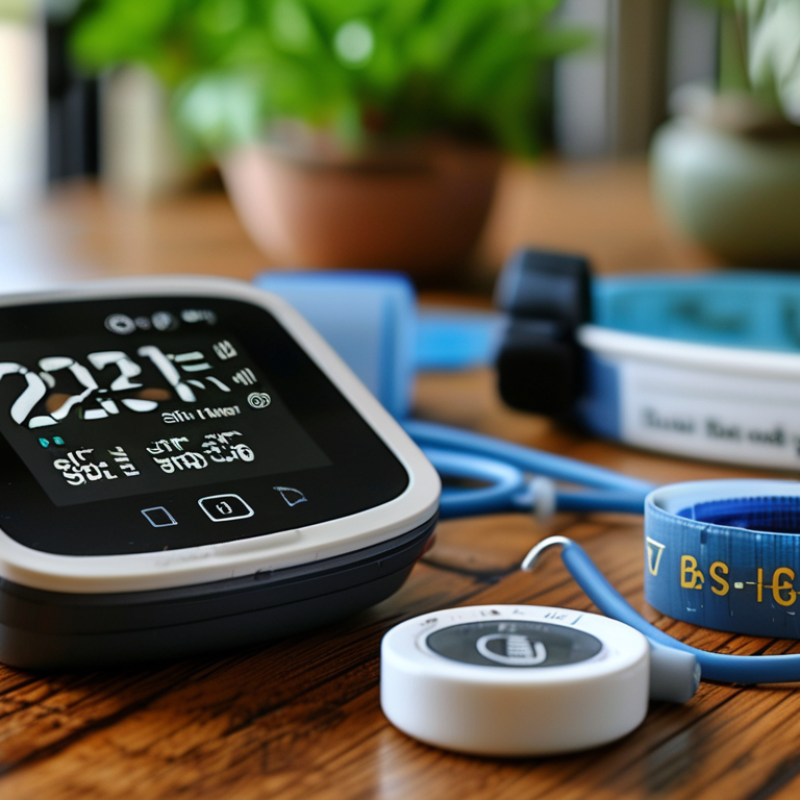
2026 Best Bluetooth Blood Pressure Monitor Health App Sync?

What a Bluetooth Blood Pressure Monitor Health App Syncs

A Bluetooth blood pressure monitor can sync readings directly with a health app within seconds. The app usually records systolic pressure, diastolic pressure, pulse rate, date, and measurement time. Some systems also store body position, arm selection, irregular heartbeat alerts, and personal notes. These details create a clearer record than memory alone.

The app may display weekly or monthly trends through simple charts. It can flag repeated high or low readings, but it should not diagnose a medical condition. Accuracy still depends on correct cuff placement, quiet rest, and a suitable cuff size. In practice, rushed measurements can distort the record. I have found that a comfortable five-minute rest often improves consistency, though individual results vary. Health data may sync through Bluetooth to a phone, then upload to protected cloud storage. Check permissions carefully, especially when several people share one device.

Tips: Sit with your back supported and feet flat. Keep your arm level with your heart. Avoid talking during measurement. Take two readings, one minute apart, and record unusual activity or stress. Review app trends with a qualified healthcare professional. Do not rely on one surprising number. Also, verify whether the app allows data export, manual correction, and secure account access. Some apps make polished charts but offer limited explanation, which can confuse users.

How Bluetooth Blood Pressure Monitoring Works

Bluetooth Blood Pressure Monitoring: How It Works

A Bluetooth monitor does not measure pressure through the phone. The inflatable cuff does the essential work. It tightens around the upper arm and briefly restricts blood flow. Sensors then detect pressure waves as blood returns through the artery. This oscillometric method estimates systolic pressure, diastolic pressure, and pulse rate.

The monitor sends these readings to a health app through Bluetooth Low Energy. The app can add timestamps, body position, and personal notes. It may also display weekly patterns or export a report for a clinician. The World Health Organization estimates that 1.28 billion adults aged 30–79 live with hypertension worldwide. Reliable home readings therefore matter, but app convenience cannot replace clinical judgment.

Use a validated upper-arm device when possible. The ISO 81060-2:2018 standard describes clinical testing requirements for automated blood pressure monitors. The American Heart Association recommends resting quietly for five minutes and taking two readings, one minute apart. Sit with both feet flat. Keep the cuff at heart level. Small errors matter.

Bluetooth pairing can fail. A low battery, loose cuff, crossed legs, or talking may distort results. I have found that users often trust a clean graph too quickly. A neat chart can still contain poor measurements. Record unusual readings, repeat them correctly, and discuss persistent changes with a qualified healthcare professional.

Key Features to Compare in 2026

2026 Best Bluetooth Blood Pressure Monitor Health App Sync?
Key Features to Compare in 2026

In 2026, a Bluetooth blood pressure monitor should do more than display two numbers. Compare clinically validated accuracy, cuff range, and reading consistency before app features. A comfortable upper-arm cuff usually gives more dependable results than a loose wrist device. Check whether the cuff fits your arm, not only the average adult. Small details matter. A clear screen helps when your phone is charging. Look for irregular-heartbeat alerts and simple user profiles.

Health app sync is now a key comparison point. Look for automatic transfer, encrypted storage, exportable reports, and compatibility with your phone’s operating system. Some apps show weekly averages, morning-evening patterns, and missed readings in useful charts. Others bury important data under colorful dashboards. I prefer a monitor that keeps readings available offline and records time, pulse, posture, and measurement arm. Confirm whether data can be shared with a clinician in a standard file. Privacy policies deserve careful reading, especially when cloud accounts are required.

Real-world testing can reveal weaknesses that specifications hide. Take two readings one minute apart for several days, using the same arm and chair. Avoid caffeine, exercise, and conversation for about thirty minutes beforehand. An app may flag an unusual result, but it cannot diagnose illness. I have found synchronization delays frustrating after software updates. Battery claims can also change with frequent Bluetooth use. Consider replaceable batteries or a reliable charging routine. More features are not always better. A simple, validated device may serve a family better than an app that encourages constant checking.

How to Set Up and Use App Synchronization

2026 Best Bluetooth Blood Pressure Monitor Health App Sync?

How to Set Up and Use App Synchronization

A reliable setup starts with the phone, not the cuff. Install the monitor’s official health app, create one user profile, and enable Bluetooth access. Keep the phone within one metre during pairing. Place the cuff on bare skin, with its lower edge about two centimetres above the elbow. Sit quietly for five minutes. Keep both feet flat and support your arm at heart level.

A small confession: my first pairing failed because Bluetooth was enabled, but the app lacked permission to find nearby devices. Restarting both devices fixed it. After pairing, take two readings one minute apart and save both results. American Heart Association guidance supports repeated home measurements because one reading can reflect stress, movement, or poor cuff placement. Record the time, posture, and unusual factors, such as caffeine or exercise.

The World Health Organization’s 2023 Global Report on Hypertension estimates that 1.28 billion adults aged 30–79 have hypertension worldwide. About 46% are unaware of their condition. App synchronization can reveal patterns, but it cannot confirm a diagnosis. Review weekly averages instead of reacting to a single high result. Check that readings transfer correctly before relying on cloud history. Also inspect privacy permissions and delete accounts you no longer use. My own logs were not perfectly consistent, and that limitation matters. Share concerning trends with a qualified healthcare professional, especially when readings remain unusually high.

Privacy, Accuracy, and Device Compatibility Considerations

2026 Best Bluetooth Blood Pressure Monitor Health App Sync?

Privacy should be checked before convenience. A reliable monitor should explain what data it collects, stores, and shares. Look for clear permission controls, encrypted transfer, and an option to delete stored readings. Cloud backup can help during medical visits, but it also increases exposure. No app is perfectly private. Read the policy, not just the product box.

Accuracy depends on the cuff and the user. Choose a clinically validated upper-arm device with the correct cuff size. Sit quietly for five minutes. Keep your back supported and your feet flat. Take two readings, one minute apart, and record both. I have seen people blame Bluetooth when poor posture caused inconsistent results. Still, home readings should occasionally be compared with a clinic device. An app display is not a diagnosis.

Device compatibility requires more than Bluetooth support. Check the required phone operating system, app updates, and health-platform permissions. Some monitors connect successfully but fail to sync after an update. That weakness is easy to overlook. Manual entry should remain available when syncing breaks. Review whether family sharing, location access, or continuous background access is genuinely necessary. A trustworthy choice combines validated measurement, transparent data handling, and dependable syncing across the devices you already use.

FAQS

: How do I prepare my phone for app synchronization?

: Install the official health app and create one user profile. Enable Bluetooth and nearby-device permission. Keep the phone within one metre during pairing. Restart both devices if connection fails. That fixed my first failed attempt.

How should I position the cuff?

Place the cuff on bare skin. Keep its lower edge about two centimetres above the elbow. Sit quietly for five minutes. Keep both feet flat and support your arm at heart level. Small details matter.

How many readings should I take?

Take two readings, one minute apart. Save both results in the app. Record the time, posture, caffeine, exercise, or unusual stress. One result may reflect movement or poor cuff placement.

Can app synchronization diagnose high blood pressure?

No. Synchronization reveals patterns, but it cannot confirm a diagnosis. Review weekly averages instead of reacting to one high result. Share persistent concerns with a qualified healthcare professional. Do not ignore unusually high readings.

What should I check when readings look inconsistent?

Check cuff size, posture, and arm position. Make sure your back is supported. Compare home readings with a clinic device sometimes. I once blamed Bluetooth too quickly. The real problem was poor posture.

What privacy settings deserve attention?

Check what data the app collects, stores, and shares. Look for clear permissions and encrypted transfer. Review cloud backup before enabling it. Delete unused accounts and stored readings when appropriate. Convenience increases exposure.

Why might a compatible device stop synchronizing?

Bluetooth support alone may not be enough. Check the phone operating system, app version, and health-platform permissions. Updates can interrupt synchronization. Keep manual entry available as a backup. It is not perfect.

Which features are genuinely necessary?

Choose accurate upper-arm measurement and the correct cuff size. Useful features include reliable syncing, readable history, and exportable records. Question family sharing, location access, or continuous background access. Only enable permissions that serve a clear purpose.

Conclusion

In 2026, Bluetooth blood pressure monitors can make health tracking more convenient by sending readings to compatible health apps. These apps may organize systolic and diastolic pressure, pulse rate, measurement times, and long-term trends, helping users notice changes and prepare clearer information for healthcare discussions. Understanding how Bluetooth blood pressure monitoring works, including device pairing and wireless data transfer, makes the process easier and more reliable.

This guide explains how to sync a bluetooth blood pressure monitor with health apps, from enabling Bluetooth and selecting the correct device to confirming that readings are saved successfully. It also highlights key features to compare, such as measurement consistency, user profiles, memory capacity, automatic data transfer, app usability, and compatibility with different phones and operating systems. Privacy settings, data permissions, proper cuff placement, posture, calibration, and repeated measurements are equally important, because convenient synchronization should not replace accurate technique or professional medical guidance.

Henry

Henry

Henry is a dedicated marketing professional with a profound expertise in the company's offerings. With years of experience in the industry, he possesses an impressive understanding of the market dynamics and consumer behaviors that drive success. Henry is committed to sharing his insights through......