MaxPro Medical
Learning how to read blood pressure monitor error codes can prevent unnecessary worry and inaccurate readings. A flashing E1, E2, or “Err” message may indicate cuff movement, weak batteries, poor placement, or an interrupted measurement. However, these codes are not universal. Their meanings can change between Omron, Beurer, Microlife, and other brands. The instruction manual remains the most reliable reference.
Dr. George S. Stergiou, a recognized hypertension specialist, has emphasized, “Accurate blood pressure measurement is essential for accurate diagnosis and management.” That principle applies to every error message. A user should sit quietly, place the cuff on bare skin, keep the arm supported, and repeat the measurement after several minutes. Small details matter. Even talking can affect the result.
This guide explains how to read blood pressure monitor error codes through practical examples. It connects common messages with visible causes, such as a twisted tube, loose cuff, cold fingers, or movement during inflation. It also explains when a simple reset may help and when professional service is more appropriate. Do not guess repeatedly. That can create confusion.
Some explanations may seem obvious, yet real household use is rarely perfect. A cuff may look secure but still be too loose. Batteries may appear functional but lack stable power. Users should record the code, timing, body position, and displayed reading before troubleshooting. If repeated errors continue, or readings seem unusually high or low, consult a qualified healthcare professional. Device guidance should support medical care, not replace it.
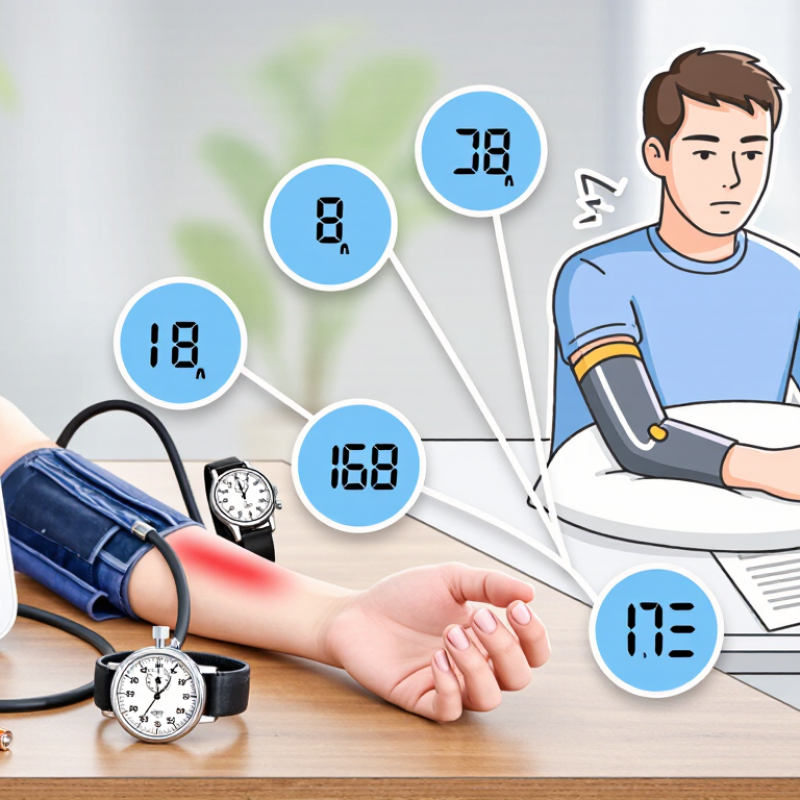
Blood pressure monitor error codes are short warnings, not diagnoses. Their exact meanings vary by model, so the instruction manual remains the most reliable reference. In practical home checks, E1 often points to an incorrectly fitted cuff. E2 may indicate movement, talking, or a loose tube. Some devices show E3 when pressure cannot build normally. These examples are common, not universal.
Sit quietly for five minutes. Keep both feet flat and support your arm at heart level. Place the cuff on bare skin, with its lower edge above the elbow crease. Press start, then stay silent and still. If an error appears, wait one minute before repeating the reading. Check that the tubing is straight and the cuff is snug, not painfully tight. Low battery symbols need attention too. A weak battery can interrupt inflation or produce inconsistent results. Small details matter.
Do not dismiss repeated errors as simple machine mistakes. Record the code, time, posture, and reading in a notebook or app. If the same code returns, inspect the cuff for cracks and confirm the correct size. Contact the manufacturer or a qualified healthcare professional when the manual gives no clear answer. Seek urgent medical help for severe symptoms, regardless of the displayed code. I sometimes expect one perfect reading, but that expectation is flawed. Trends across several calm readings are more useful than a single number. Even careful users can miss a talking child, crossed legs, or a cuff over clothing.
Accurate results begin before you press the start button. Avoid caffeine, exercise, and smoking for at least 30 minutes. Empty your bladder, then sit quietly for five minutes. Use a firm chair with your back supported and both feet flat on the floor. Keep your arm relaxed at heart level, with the cuff on bare skin. Clothing under the cuff can affect the result.
Small details matter. Do not talk or move during the measurement. Take two readings, about one minute apart, and record both numbers with the time. If an error code appears, check the cuff position, tubing, battery, and arm movement first. A loose cuff or crossed tube is often the simple cause. Still, not every error is obvious.
Tips: Keep the monitor on a stable table. Use the correct cuff size. Repeat the reading after resting. Avoid measuring immediately after stress or a heavy meal. I find rushed readings less trustworthy, even when the device seems to work. That assumption deserves checking. If errors continue, follow the instruction manual and ask a qualified healthcare professional to inspect your technique. Repeated unusual readings also deserve medical advice, especially when symptoms occur.
China Best How to Read Blood Pressure Monitor Error Codes?
Step-by-Step Guide to Checking Common Monitor Errors
A blood pressure error code is a clue, not a diagnosis. Start by writing down the exact code and the time it appeared. Check the batteries, then confirm that the cuff tubing is fully connected. A loose tube can create an air-leak warning. Replace damaged cuffs rather than forcing them closed.
Sit quietly for five minutes before measuring. Keep both feet flat, support your arm at heart level, and avoid talking or moving. The American Heart Association recommends validated upper-arm monitors for home use. Its guidance also stresses correct cuff size and repeated readings. The World Health Organization reports that about 1.28 billion adults aged 30–79 have hypertension, while nearly half are unaware of it. Small measurement errors can therefore matter.
If the display shows movement, irregular pulse, or inflation errors, repeat the test after resting. Do not repeatedly measure every few seconds. Wait at least one minute between readings and record the results. Compare unusual readings with a second validated device during a clinic visit. ISO 81060-2 provides clinical validation requirements for automated non-invasive blood pressure monitors. Error labels still differ between models, so the instruction manual remains essential. This is easy to overlook. If an error persists, stop guessing and ask a qualified healthcare professional to inspect the monitor, cuff, and measurement technique.
| Displayed Code or Message | What It Usually Means | Step-by-Step Checks | Recommended Action | When to Seek Help |
|---|---|---|---|---|
| E1, Er1, or Air Leak | The cuff cannot inflate or the monitor detects an air leak. Exact code names vary by model. | 1. Check that the air tube is fully connected. 2. Inspect the tube and cuff for cracks or holes. 3. Make sure the cuff is wrapped firmly around the bare upper arm. 4. Keep the cuff at heart level. |
Reconnect or replace damaged parts, then repeat the measurement after sitting quietly for at least five minutes. | Contact the manufacturer or a qualified service provider if the error continues with an undamaged cuff and tube. |
| E2, Er2, or Movement Detected | Body movement, talking, coughing, or muscle tension interrupted the measurement. | 1. Sit with your back supported and feet flat on the floor. 2. Rest the arm on a table. 3. Do not talk, move, or cross your legs. 4. Wait one to two minutes before repeating. |
Take two readings one minute apart and record the results according to the monitor instructions. | Seek medical advice for unusual readings that remain abnormal after correct, repeated measurements. |
| E3, Er3, or Overpressure | The cuff pressure became excessive or the cuff was applied incorrectly. | 1. Remove the cuff and allow the arm to rest. 2. Confirm that the cuff size matches the arm circumference. 3. Place the lower edge approximately 2–3 cm above the elbow crease. 4. Ensure the cuff is snug but not painfully tight. |
Restart the monitor only after the cuff has completely deflated. Use the correct cuff size for the next reading. | Stop using the device and request technical assistance if it repeatedly overinflates or causes pain. |
| E4, Er4, or Irregular Pulse | The monitor detected an irregular pulse pattern or could not calculate the pulse reliably. | 1. Remain still and silent. 2. Check that the cuff is positioned correctly. 3. Avoid measuring immediately after exercise, caffeine, smoking, or stress. 4. Repeat the reading after resting. |
Treat the symbol as a measurement alert, not a diagnosis. Record repeated results and any symptoms. | Discuss repeated irregular-pulse indicators with a healthcare professional, especially if dizziness, fainting, chest discomfort, or shortness of breath occurs. |
| E5, Er5, or Measurement Error | The monitor could not obtain a stable reading because of poor positioning, weak circulation, or an unsuitable cuff. | 1. Confirm the cuff is on the recommended arm. 2. Keep the arm relaxed and supported. 3. Warm a cold hand or arm naturally. 4. Check the cuff size and placement. 5. Repeat after five minutes. |
Follow the monitor’s user manual because error-code meanings are not standardized across all devices. | Ask a clinician or service provider for assistance if reliable readings cannot be obtained repeatedly. |
| Lo, Low Battery, or Battery Icon | Battery power is too low for accurate or complete operation. | 1. Turn the monitor off. 2. Install fresh batteries of the specified type and polarity. 3. Check the battery compartment for corrosion or loose contacts. 4. Use the supplied power adapter only when approved by the manual. |
Replace all batteries at the same time and retake the measurement. | Arrange service if new batteries do not resolve the warning or the device shuts down unexpectedly. |
| Hi, High Reading, or Over Range | The measured value may be above the monitor’s displayed range, or the reading may be affected by technique or temporary factors. | 1. Rest quietly for five minutes. 2. Confirm correct cuff size and placement. 3. Take two additional readings one minute apart. 4. Do not exercise, smoke, or consume caffeine immediately before measuring. |
Record the readings and compare them with the monitor’s instructions and your healthcare plan. | If blood pressure is 180/120 mmHg or higher, wait at least one minute and recheck. Seek immediate medical care if it remains that high or if warning symptoms occur. |
| No Display or Device Does Not Start | The batteries may be depleted, inserted incorrectly, or the device may have a power or hardware problem. | 1. Check battery polarity. 2. Install a complete set of fresh batteries. 3. Inspect the contacts and power button. 4. Disconnect the cuff tube and reconnect it firmly. |
Perform a basic restart and follow the troubleshooting section of the user manual. | Do not open the monitor. Contact an authorized service provider if it remains unresponsive. |
Important: Error codes are not universal. Always compare the displayed code with the specific monitor’s user manual. A home blood pressure monitor is intended for screening and monitoring, not for diagnosing a medical condition.
Reading a blood pressure monitor error code is not guesswork, even when the screen shows only two characters. Start with the user manual and record the code, time, cuff position, and readings. A loose tube, folded cuff, cold fingers, or movement can trigger common measurement errors. Sit quietly for five minutes, keep both feet flat, and place the cuff on bare skin at heart level. Repeat after several minutes, not immediately. If the error disappears, inspect the cuff for cracks and check the connector firmly. Do not trust one successful reading too quickly. Minor cuff damage can still produce inconsistent results.
Troubleshoot when errors follow movement, poor positioning, weak batteries, or an obstructed air path. Replace the device when the display fails, inflation sounds abnormal, the cuff leaks, or repeated errors continue after basic checks. A damaged cuff may need replacement before the monitor itself. Calibration is different. It compares the monitor with a validated reference under controlled conditions, usually through an authorized service technician. Home testing cannot confirm accuracy. Keep a service record and compare readings with a clinic device during routine visits. If readings differ greatly, stop relying on the monitor for treatment decisions and seek professional medical advice. Error codes are clues, not diagnoses. I may miss an intermittent fault, so repeated patterns matter more than one clean result.
Error codes are model-specific. Before replacing or calibrating a device, repeat the measurement with the correct cuff size, a supported arm position, no talking or movement, and sufficient rest. The chart below uses American Heart Association systolic blood pressure thresholds to indicate when a valid reading requires routine follow-up or urgent attention.
Check cuff placement, tubing, batteries, posture, movement, and air leaks when an error appears.
Consider replacement when the monitor has physical damage, a leaking cuff, unstable inflation, or repeated failures after basic checks.
Use the manufacturer’s service interval or compare readings with a validated clinical device. Error-code meanings and calibration requirements vary by model.
Blood pressure categories are based on the higher category when systolic and diastolic values differ. A reading above 180 mmHg systolic and/or 120 mmHg diastolic requires immediate repeat measurement and urgent medical guidance, especially when symptoms are present.
Repeated blood pressure monitor errors should be handled calmly and systematically. An error code usually signals movement, poor cuff placement, weak batteries, or an unstable pulse. Record the exact code and the reading time. Check the instruction manual because codes differ between devices. Do not guess. Small details matter.
Sit quietly for five minutes before measuring. Keep both feet flat and support your arm at heart level. Place the cuff on bare skin, with its lower edge above the elbow. Keep still and avoid talking. A loose, twisted, or incorrectly sized cuff can trigger repeated errors. Replace weak batteries, then wait one minute before trying again. Try twice.
If the same error continues, stop repeated measurements for a short period. Inspect the tubing, cuff, and connector for cracks or kinks. A damaged sensor may require professional inspection. Bring the monitor, cuff, error record, and recent readings to a qualified healthcare professional. They can compare the device with a clinical measurement and assess whether the readings are reliable.
It is easy to blame the monitor. That assumption can be wrong. Irregular heart rhythms, shivering, recent exercise, or anxiety may also interfere with measurement. If readings remain unusually high or low, seek medical advice rather than adjusting medication yourself. For chest pain, severe breathlessness, confusion, or sudden weakness, obtain urgent medical care.
It is a warning, not a diagnosis. The meaning varies by device model. Check the instruction manual before guessing.
E1 often suggests incorrect cuff placement. Place the cuff on bare skin, above the elbow crease. Keep it snug.
Talking, shivering, or moving can disturb the measurement. Sit quietly for five minutes. Stay silent and still during inflation.
Keep both feet flat on the floor. Support your arm at heart level. Wait one minute before repeating the reading.
Check for a loose fit, twisted fabric, cracks, or the wrong size. Inspect the tube for kinks. Small details matter.
Yes, weak batteries may interrupt inflation or create inconsistent readings. Replace them when the low-battery symbol appears. Then try again.
Record the exact code, time, posture, and reading. Write it in a notebook or app. Two calm attempts may show a pattern.
Contact a qualified healthcare professional if the same error keeps returning. Bring the monitor, cuff, and error record. I may blame the machine too quickly; that assumption can be wrong.
Recent exercise, anxiety, shivering, or an irregular heart rhythm may affect the result. Do not change medication yourself. Seek urgent care for chest pain, severe breathlessness, confusion, or sudden weakness.
Understanding how to read blood pressure monitor error codes can help users identify simple problems and obtain more reliable readings. Common codes may point to an improperly fitted cuff, movement during measurement, weak batteries, an incorrect arm position, or an unstable connection. Before taking a reading, rest quietly for several minutes, sit with your back supported and feet flat, keep the arm at heart level, and place the cuff correctly on bare skin. Following these steps reduces avoidable errors and improves consistency.
If an error appears, check the cuff placement, posture, battery condition, and measurement environment before trying again. Review the monitor’s instructions to understand the specific code, and avoid taking repeated readings immediately if the device or user needs a short pause. Persistent or unusual errors may indicate that the monitor needs cleaning, calibration, professional inspection, or replacement. When readings remain inconsistent or concerning despite proper use, consult a qualified healthcare professional rather than relying on the device alone.
