When a blood glucose monitor displays an error, worry can rise quickly, especially before breakfast or bedtime. The screen may show a code, a flashing symbol, or a simple “Error” message. These warnings often reflect a test-strip problem, insufficient blood, damaged supplies, or a weak battery. However, the result should not be guessed or ignored.
This guide explores five practical tips for handling common meter errors safely. It explains how to check the strip, wash and dry your hands, confirm the sample size, inspect the battery, and review the manufacturer’s instructions. If you are asking, “what should i do if my blood glucose monitor error message appears,” start by staying calm and recording what happened. Do not reuse a strip or add blood after testing has started. Small details matter, such as expired strips, a loose vial cap, or blood applied outside the target area.
A second test may solve the issue.
Yet repeated errors need professional attention. Compare the meter with a control-solution test when recommended, and contact the manufacturer or your diabetes care team. If you have symptoms of very high or low blood glucose, follow your personalized care plan rather than relying on an uncertain reading. When symptoms feel severe, seek urgent medical help. Manuals differ, and even experienced users can miss a simple cause, so checking the official instructions is always worthwhile.
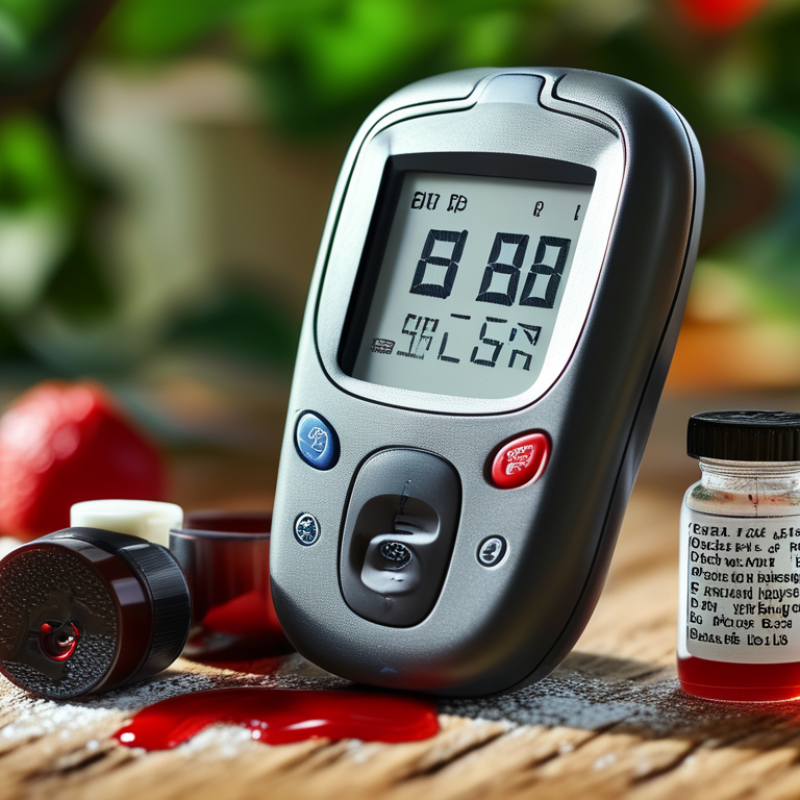
Check the Error Code and Consult the Monitor’s User Guide
5 Tips If Your Blood Glucose Monitor Shows an Error?
Check the Error Code and Consult the Monitor’s User Guide
Do not guess what “E-3” means. Error codes differ between monitors, so open the user guide and match the exact message. Check whether it mentions a used strip, insufficient blood, temperature, battery power, or a damaged strip. The American Diabetes Association recommends following the device’s instructions and checking technique when readings appear unusual. A practical habit helps: keep the guide near your testing supplies, not buried in a drawer.
Use a fresh, unexpired strip and wash your hands with warm water. Dry them fully before testing. Even small amounts of food or lotion can affect the sample. If the guide permits retesting, use a new strip rather than adding blood to the old one. Do not keep testing endlessly. I sometimes see people repeat the same mistake three times. That is not confirmation. It is repetition.
Consider the wider safety context. The CDC’s 2024 National Diabetes Statistics Report estimates that 38.4 million Americans have diabetes, making reliable monitoring important. ISO 15197:2013 sets a common accuracy benchmark: at least 95% of results should fall within ±15 mg/dL or ±15%, depending on glucose level. A monitor error is not the same as a dangerous glucose result. If symptoms feel severe, or the guide advises medical help, contact a healthcare professional promptly. Record the code, time, strip lot, and recent conditions. That detail can reveal a pattern, although my own first assumption may still be wrong.
Wash and Dry Your Hands Before Repeating the Test
When a blood glucose monitor shows an error, your hands may be the simplest place to start. Food, fruit juice, lotion, or sweat can remain on your fingertips and affect the sample. Even a small amount of moisture may dilute the blood and produce an unreliable reading.
Wash your hands with ordinary soap and warm water. Rinse away all residue, then dry them completely with a clean towel. Pay attention to the fingertip you plan to use. It should feel dry, not cool or damp. Avoid testing immediately after touching fruit, candy, or cleaning products. Wash again if needed.
Now repeat the test according to the monitor’s instructions. Use a fresh test strip if the guidance requires one, and check that the strip container was closed properly. A gentle finger prick usually works better than forceful squeezing, which may mix tissue fluid with the blood. Tiny details matter.
It is easy to blame the device first. That assumption can be wrong. If the error returns, review the strip’s expiration date, storage conditions, and battery status. Do not ignore repeated problems, especially when symptoms do not match the reading. Contact a healthcare professional or the device manufacturer’s support service for specific advice. Don’t guess with your health.
5 Tips If Your Blood Glucose Monitor Shows an Error
Wash and dry your hands before repeating the test. The chart shows commonly used glucose targets for many nonpregnant adults; personal targets may differ.
What to check before retesting
- Wash and completely dry your hands.
- Use an in-date test strip stored according to its instructions.
- Confirm that the blood sample is large enough.
- Avoid squeezing the finger excessively.
- If errors continue, check the meter and strips with the appropriate control solution or contact a healthcare professional.
Reference context: commonly used targets for many nonpregnant adults are 80–130 mg/dL before meals and below 180 mg/dL 1–2 hours after the beginning of a meal. Follow your clinician’s instructions for your own target range.
Inspect the Test Strip, Expiration Date, and Storage Conditions
5 Tips If Your Blood Glucose Monitor Shows an Error?
An error message can appear before a reading, even when the monitor seems clean. Start by removing the test strip and checking its condition. A bent, wet, or partly used strip may not work correctly. Wash your hands with soap, then dry them completely. Moisture, food residue, or lotion can affect the sample. I once assumed a clean-looking strip was usable. It was not.
Tip: Check the expiration date.
Expired strips may produce errors or unreliable results. Confirm the date on the container, not only the individual strip. Keep strips in their original, tightly closed container. Do not leave them on a bathroom shelf, near a window, or inside a hot car. Heat, humidity, and cold can damage their chemistry. Storage advice differs by product, so follow the supplied instructions carefully. Small details matter.
Tip: Replace questionable supplies.
Use a fresh strip if the package is open, damaged, or exposed to unusual conditions. Insert it in the correct direction, and apply enough blood without smearing it. If the monitor still shows an error, repeat the test with a new strip. Check the battery and clean the device only as instructed. Do not guess. Persistent errors need professional advice, especially when you feel shaky, confused, unusually thirsty, or unwell. Never change medication based on an error message alone.
Replace the Battery and Check the Monitor for Damage
5 Tips If Your Blood Glucose Monitor Shows an Error?
A weak battery is a common reason for error messages, blank screens, or repeated shutdowns.
Remove the old battery with clean, dry hands, then install the correct replacement. Check the compartment for white residue, rust, or moisture. Battery corrosion can interrupt contact, even when the display still works. Close the cover firmly and restart the monitor. Keep spare batteries away from heat and loose metal objects.
Inspect the monitor carefully.
Look for cracks, a loose test-strip port, damaged buttons, or liquid under the screen. Do not use a device after a fall until its readings appear stable. The U.S. Food and Drug Administration advises following the device instructions and avoiding damaged equipment. A control-solution test can help, but it cannot repair physical damage. Check the strip expiration date, too. I have seen people blame the battery while using damp strips. It is an easy mistake.
Accuracy matters.
ISO 15197:2013 requires at least 95% of glucose results to fall within ±15 mg/dL or ±15% of a comparison method. The CDC’s National Diabetes Statistics Report estimates that 38.4 million Americans had diabetes in 2021, increasing the need for dependable home testing. If an error continues, replace the battery once, clean the contact area gently, and compare the result with your symptoms. Do not rely on one questionable reading. Seek professional medical advice when readings conflict with how you feel.
Contact a Healthcare Professional if Errors Continue or Symptoms Worsen
5 Tips If Your Blood Glucose Monitor Shows an Error?
An error message can reflect a damaged strip, low battery, or an unsuitable sample. Wash and dry your hands before testing. Even small food residue can distort the reading. The U.S. Food and Drug Administration advises checking strips for damage, moisture, and expiration. Tip 1: Repeat the test with a new strip. Tip 2: Confirm that the strip is inserted correctly. Do not guess when the result looks unusual.
Meters are useful for daily monitoring, but they are not perfect diagnostic tools. ISO 15197:2013 expects 95% of results to fall within ±15 mg/dL below 100 mg/dL, or ±15% above it. Some readings may still feel confusing. Tip 3: Compare the number with your symptoms and recent meals, not memory alone. Tip 4: Check the meter’s battery and storage conditions. Extreme heat, cold, or humidity may affect performance. I sometimes overlook storage details. That mistake matters.
Contact a healthcare professional if errors continue, readings conflict repeatedly, or symptoms worsen. Seek prompt medical help for severe confusion, fainting, persistent vomiting, trouble breathing, or extreme weakness. The American Diabetes Association states that suspected hypoglycemia requires immediate attention, especially when symptoms are present. Tip 5: Keep the meter, strips, error message, and recent readings available for review. A clinician can assess technique, medications, hydration, and whether laboratory testing is needed. Do not change treatment based on one questionable reading. Sources: FDA, Blood Glucose Monitoring Devices; American Diabetes Association, Standards of Care in Diabetes—2024; ISO 15197:2013.
5 Tips If Your Blood Glucose Monitor Shows an Error? - Contact a Healthcare Professional if Errors Continue or Symptoms Worsen
| Tip |
Common Reason for an Error |
What to Do |
When to Seek Help |
| 1. Check the test strip |
The strip may be expired, damaged, wet, improperly stored, or not fully inserted. |
Use an unexpired strip from its original container, keep strips dry, and insert one according to the meter instructions. Do not reuse a strip. |
Contact a healthcare professional or pharmacist if repeated strip errors occur despite using properly stored strips. |
| 2. Clean and dry your hands |
Food, sugar, lotion, water, or alcohol residue can interfere with testing or reduce the blood sample. |
Wash hands with soap and water, rinse well, and dry completely before testing. Avoid squeezing the finger excessively. |
Seek advice if the meter continues to show errors after careful hand preparation and a new strip. |
| 3. Confirm operating conditions |
Very hot, cold, humid, or high-altitude conditions may affect some meters and strips. |
Move to the temperature range stated in the user instructions and allow the meter and strips to adjust before testing. Keep supplies away from direct sunlight and moisture. |
Ask a healthcare professional for guidance if errors happen in normal conditions or during travel. |
| 4. Repeat the test correctly |
An insufficient blood sample, incorrect testing technique, or a device problem can trigger an error. |
Use a new strip and a different fingertip if needed. Follow the meter’s instructions for sample size and testing steps. If available, compare the result with an approved backup method. |
Do not rely on an error message or an unexpected result to change medication doses without professional advice. |
| 5. Review the error message and supplies |
The meter may need a battery change, cleaning, quality-control check, or replacement after damage. |
Record the error code, check the user instructions, inspect the meter for damage, and perform a control-solution check only if recommended for that device. |
Contact a healthcare professional if errors continue, results do not match how you feel, or you cannot obtain a reliable reading. |
Important safety note: If you have symptoms of severe low or high blood glucose—such as confusion, fainting, seizures, trouble breathing, severe weakness, or persistent vomiting—seek urgent medical care. If symptoms suggest a serious problem, do not delay care while troubleshooting the monitor.
Conclusion
If your blood glucose monitor displays an error, stay calm and begin by checking the error code in the user guide, as different messages may indicate different issues. Wash and dry your hands thoroughly before repeating the test, since moisture, food residue, or contamination can affect the reading. Also inspect the test strip for damage, confirm that it has not expired, and make sure it has been stored properly according to the instructions.
If you are wondering, “what should i do if my blood glucose monitor error message appears,” check the battery and replace it if necessary. Examine the monitor for visible damage, moisture, or loose parts, and avoid using it if it appears unsafe. If the error continues after these steps, contact a healthcare professional or the appropriate support service for guidance. Seek prompt medical attention if you have symptoms of unusually high or low blood glucose, such as confusion, severe weakness, difficulty breathing, or loss of consciousness.
 MaxPro Medical
